Protecting your eyes during long screen sessions is essential. This guide highlights five top anti-blue light screen protectors for laptops, emphasizing eye comfort, glare reduction, and overall screen clarity. The listed products are ideal for students, office workers, remote workers, gamers, and anyone who spends hours in front of a computer screen. Each pick is chosen to balance blue-light blocking performance with ease of installation and compatibility with common 15.6″ and 16″ laptops.
| Product | Best For | Key Benefit |
|---|---|---|
| Peslv 15.6″ Anti-Blue Light Screen Protector | Heavy screen users seeking strong blue-light blocking | High blue light blocking rate and precise size for 15.6″ laptops |
| MUBUY-GOL 15.6″ Blue Light Filter | Users needing reduced glare in bright environments | 8-layer design, anti-glare coating, 100% UV/blue-light shielding |
| F FORITO 15.6″ 2-Pack Anti Blue Light | Budget-conscious buyers who want multiple protections | 9-layer blue light filtration with anti-glare tech |
| F FORITO 16″ 2-Pack Anti Blue Light | Users with 16″ laptops seeking consistent protection | 9-layer blue light filter preserves color accuracy while reducing glare |
| Magicmoon 15.6″ Privacy Filter | Privacy and eye-protection combined | Privacy from side views plus blue-light blocking and glare reduction |
Peslv 15.6″ Anti-Blue Light Screen Protector

Designed for 15.6″ notebooks with 16:9 aspect ratio, this protector covers width 13.57″ and height 7.64″, making it suitable for HP, Lenovo, Dell, Acer, Asus, Samsung Envy and similar models. It features a claimed 99.3% blue light blocking rate and an ultra-thin profile for minimal impact on image clarity. Best for: users who want high blue-light protection without sacrificing crisp visuals. Caution: verify your device’s exact width and height before purchase to ensure a precise fit.
MUBUY-GOL 15.6″ Blue Light Filter
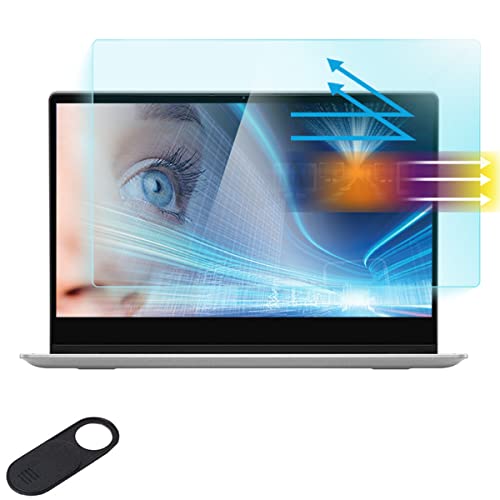
This 15.6″ blue light filter for popular laptop brands uses an eight-layer design to block most hazardous blue light in the 380-495nm range while reducing glare. Best for: individuals who work in brightly lit rooms or outdoors and want improved screen readability plus eye strain relief. Caution: some users report a slight color shift on certain displays; perform a dry fit before full adhesion.
F FORITO 15.6″ Anti Blue Light Screen Protector

This 2-pack solution fits 15.6″ laptops with 16:9 aspect ratios, including Acer, HP, Lenovo, Dell, and ASUS models. It uses a nine-layer blue light filtering system to reduce eye fatigue while maintaining color fidelity and sharpness. Best for: users who value a balance of strong blue-light protection and image clarity. Caution: verify actual width and height to confirm a 13.6″ x 7.6″ measurement fit.
F FORITO 16″ Anti Blue Light Screen Protector

Specifically designed for 16″ laptops with a 16:10 ratio, this protector uses a 9-layer blue light filtration to cut glare and blue light while preserving color accuracy. Best for: users who need robust protection on larger screens without sacrificing image quality. Caution: confirm your device’s width and height; some 16:10 displays may vary from 13.6″ x 8.6″.
Magicmoon 15.6″ Privacy Filter

Not a traditional screen protector, this privacy filter covers 15.6″ widescreen laptops with 16:9 aspect ratio and provides side-view privacy plus blue-light blocking of up to 30% while reducing glare. Best for: professionals handling sensitive data in open workspaces or coffee shops. Caution: not compatible with 16:10 or touchscreen devices.
Buying Guide: Key Considerations for Choosing Laptop Eye Protection
- Screen size and aspect ratio: Verify width and height measurements to ensure a precise fit. Do not rely solely on diagonal size.
- Blue light blocking vs. privacy: Decide whether you primarily want to reduce blue light, minimize glare, or also add privacy from side views.
- Glare reduction: Look for matte anti-glare coatings to improve readability under bright lighting and to reduce eye strain.
- Color fidelity and clarity: High-quality filters should maintain crisp text and true colors while filtering blue light.
- Installation and compatibility: Choose pre-cut, easy-install designs with bubble-free application for a clean fit.
- Durability and protection: Consider multi-layer designs that resist scratches and fingerprints, extending filter life.
Frequently Asked Questions
- What is blue light blocking and does it really help with eye strain?
– Blue light blocking reduces exposure to high-energy blue wavelengths. It can help lessen eye fatigue during extended screen time, though results vary by user and usage pattern. - Will a privacy filter affect screen brightness or color?
– Some privacy filters can slightly alter brightness or color, but many modern models preserve color accuracy while restricting side viewing. - How do I know which size filter to buy?
– Measure the visible screen area: width and height, not just diagonal. Compare with the product’s stated dimensions before purchasing. - Can I use a screen protector on a touchscreen laptop?
– Some are designed for non-touch screens. Always check compatibility with touch functionality before purchase. - Do these protect against UV light?
– Many protect against blue light and offer glare reduction; some may also filter UV light, but verify the product specifications for UV blocking details. - Are there any installation tips for a bubble-free application?
– Clean the screen thoroughly, align carefully, and apply slowly from one side to the other, using a soft card to smooth out air pockets.