Looking for a reliable VESA 200×200 desk mount to fit a 20–43 inch monitor or TV? This guide highlights five sturdy options that use the 200x200mm mounting pattern, balancing weight capacity, adjustability, and desk compatibility. Each pick is positioned for different use cases—from compact desks and dorm rooms to home offices with need for full motion and ergonomic positioning. The top picks are ideal for buyers seeking simple mounting to save space, improved viewing angles, or flexible height adjustments.
| Product | Best For | Key Benefit |
|---|---|---|
| TVON Universal TV Stand Base | Small desks, bedrooms, dorm rooms | 4-level height adjustment, 80° swivel, tempered glass base |
| Mount-It! Large Monitor Desk Mount | Ergonomic desktop setups | Full motion, wide VESA compatibility, easy tilt/rotate |
| ARES WING Heavy Duty Monitor Arm | Ultrawide or heavy screens | Gas-spring, wide weight range, robust build |
| Pholiten Single Monitor Mount | Budget-friendly flexible arm | VESA extension options, good tilt/landscape-portrait range |
| Mount-It! Ultra-Wide Single Monitor Arm | Large/ultra-wide displays | High versatility, 16.75″ pole, wide tilt/rotate |
TVON Universal TV Stand Base With 200×200 VESA

The TVON stand is designed for 20–43 inch displays and supports VESA 200×200 with a stable tempered glass base. It is best for small to medium rooms where a freestanding table top solution helps free up wall space. The four-height levels (from 13.2” to 19.1”) accommodate different seating heights, while a swivel range up to 80° provides flexible viewing. This option suits bedrooms, dorms, and light-use home offices where quick setup and clean wire management matter. A UL-based safety approach emphasizes family-friendly use. Choose this if you want a compact, stylish stand with straightforward height adjustment and decent swivel for shared viewing.
Best for: small-to-medium rooms, shared spaces, and desks requiring easy height changes without wall mounting.
Caution: The base is glass; ensure level surface and cautious placement around high-traffic areas to avoid impact damage.
Mount-It! Large Monitor Desk Mount (VESA 200×200)
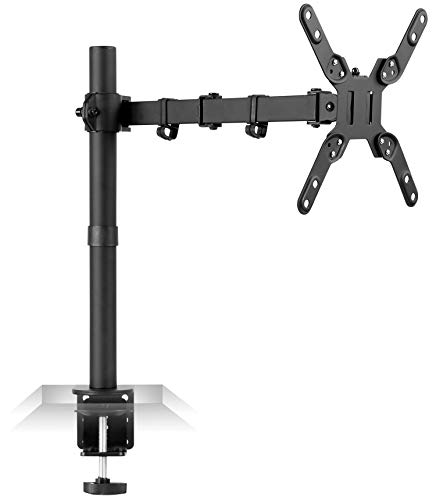
This Mount-It! desk mount fits most 13–42 inch monitors with VESA patterns including 200×200 and 200×100. It offers full motion with 360° swivel, 360° rotation, and a tilt of up to 15 degrees, plus height adjustment on the pole. This makes it a strong choice for ergonomic setups where you need portrait-orientation options or precise positioning for glare reduction. It is best for users seeking a single-monitor system with broad compatibility and easy postural adjustments. If you want a simple, robust arm that covers common VESA patterns, consider this option.
Best for: ergonomic desks, single-monitor configurations, and users who value full-motion flexibility.
Caution: Some larger ultrawide displays may require confirming weight suitability beyond the stated spec for long-term stability.
ARES WING Heavy Duty Single Monitor Arm
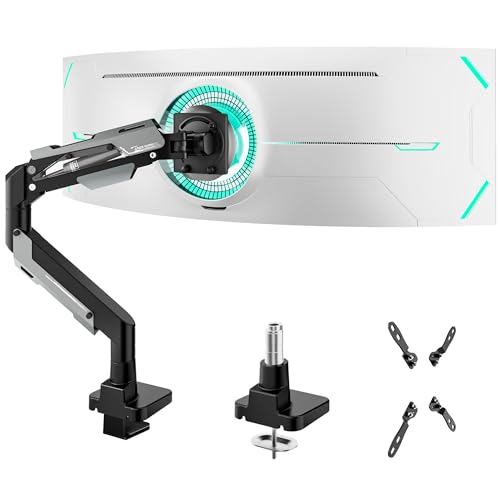
The ARES WING arm is built for ultrawide and heavy displays up to 66 lbs, with VESA patterns including 200×200. Its aluminum and steel construction, plus a gas-spring mechanism rated for up to 20,000 cycles, delivers smooth motion and strong stability. It supports a broad tilt range (up to 70°) and 360° swivel with a 22.4″ height-adjustable gas spring system for versatile positioning. Best for: heavy, large, or curved screens where you need robust support and flexible mounting. Choose this if maximum load and high adjustability are required. Limitation: Some setups may require extra clearance for full range of motion on very deep desks.
Best for: ultrawide or heavy displays, users needing strong stability and wide motion.
Pholiten Single Monitor Desk Mount With VESA Extension
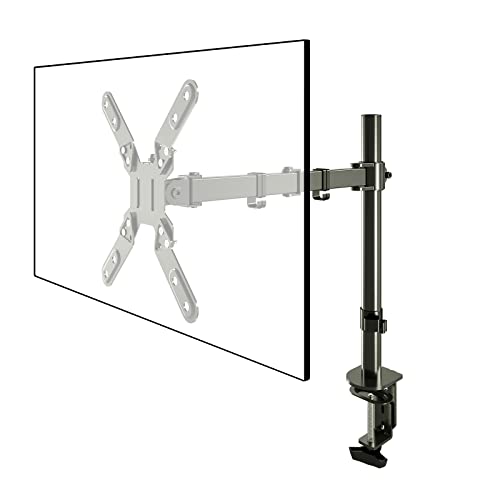
The Pholiten mount supports VESA extension from 75×75 to 200×200 and fits screens from 13–39 inches. It emphasizes reducing eye and neck strain through height, depth, and angle adjustments. Its VESA compatibility and solid construction provide a stable, flexible mounting option on budget-conscious desks. Best for: budget-minded buyers needing VESA extension and flexible tilt/landscape-to-portrait capability. Caution: Check weight limits per monitor to ensure the setup remains stable when extended to both ends of motion.
Mount-It! Ultra-Wide Monitor Arm for Large Displays
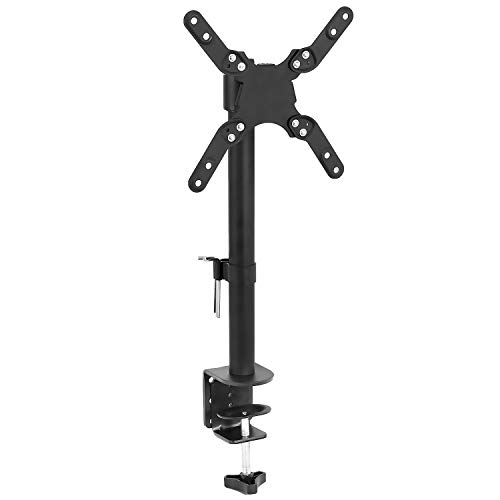
This Mount-It! arm supports 13–42 inch screens up to 22 lbs and offers VESA compatibility from 75×75 to 200×200. The height-adjustable pole (16.75″) enables comfortable eye-level positioning, with tilt up to 30° and a full 360° swivel/rotate. It is suitable for larger or ultra-wide monitors where flexible viewing angles and space-saving desk integration are priorities. Best for: larger single-monitor setups, users needing vertical orientation and wide motion. Limitation: Heavier ultrawide models may require confirming weight distribution and desk clamp strength.
VIVO Ultra Wide Monitor And TV Desk Mount

The VIVO STAND-V155D supports TVs and ultrawide monitors up to 55 inches, with a maximum VESA pattern of 400x400mm and a 44 lb load. It uses a solid steel clamp for desk mounting and includes a grommet option. The arm folds flat for a low-profile setup and ensures the screen remains centered when folded. Best for: space-saving, flush-to-wall layouts and larger displays that require a compact, adjustable arm. Caution: Clamp thickness and desk material must be checked to ensure compatibility with the clamp design.
Buying Guide: Key Considerations For VESA 200×200 Desk Mounts
- Display size and weight: Confirm that the monitor or TV’s weight falls within the mount’s maximum rating and ensure the diagonal size is compatible with the arm’s reach.
- VESA compatibility: Verify the monitor’s hole pattern (200×200 is required for this guide) and any extension needs for extended depth mounting.
- Adjustment range: Consider height, tilt, swivel, and rotation ranges. If glare or eye level is critical, prioritize higher tilt and more extensive swivel.
- Desk compatibility: Check clamp type or grommet compatibility, desk thickness, and available space behind the display.
- Ease of installation: Look for mounting hardware inclusions, minimal tool requirements, and straightforward setup steps.
- Safety and stability: Consider arms with gas springs or heavy-duty materials for long-term stability, especially with heavier ultrawide screens.
Frequently Asked Questions
- What does VESA 200×200 mean? It refers to the mounting hole pattern on the back of the display: a square pattern with 200 mm between holes horizontally and vertically.
- Can these mounts support ultrawide monitors? Yes, certain models (like ARES WING and Mount-It! Ultra-Wide) are designed to support ultrawide displays with appropriate weight ratings.
- Do I need professional installation? For most 200×200 mounts, basic tool use and following the included instructions suffice; wall mounting is not required for these desk mounts.
- Are there any height limitations? Most desk mounts offer adjustable height ranges; ensure your seating position and eye level align with the top of the monitor for ergonomic comfort.
- What’s the best choice for a small desk? A compact stand with a sturdy base and 4-level height adjustment (like TVON) balances space-saving and flexibility.
- How important is weight capacity? Very important; exceeding the weight limit can lead to reduced stability and potential damage over time.